
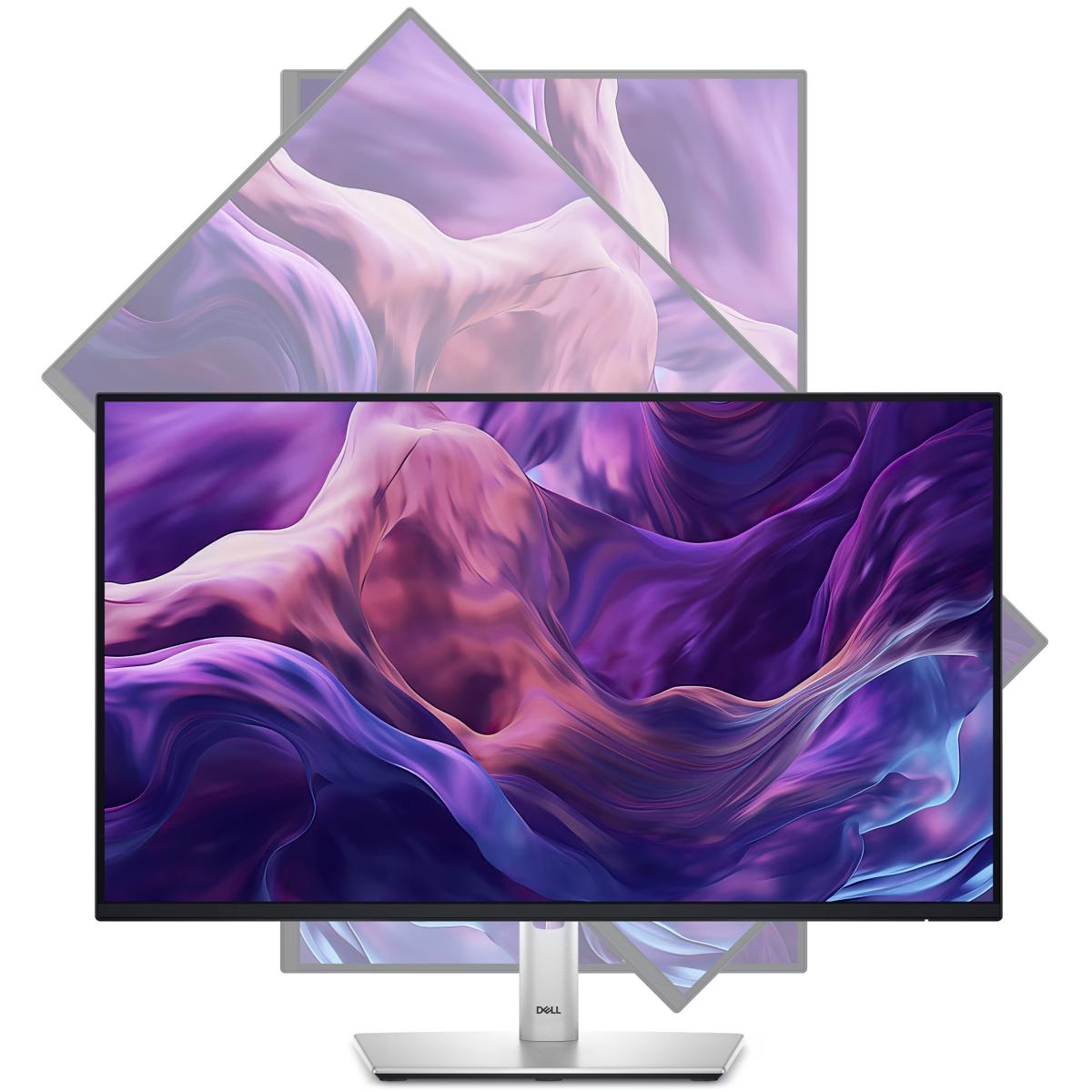
Dell Professional monitor stand for display mounting

Dell Professional P2425HE 24" IPS Full HD 100Hz 99% sRGB ComfortView Plus Technology Adjustable Stand w/ USB-C & RJ45 & 4x SuperSpeed USB Hub

Dell 24 USB-C® Hub Monitor - P2425HEConne to produ ivity. Certified by TÜV for 4-star eye comfort,...
Vendor: CT
SKU: P2425HE
Availability: Out Of Stock
Product Type: Gaming
196.900 JOD
196.900 JOD
(-0%)
Please hurry! Only 0 left in stock
Subtotal: 196.900 JD
10 customers are viewing this product

Free Shipping

Free standard shipping on orders over JOD100

Estimated to be delivered on 24-48 Hours.

Free Returns

Learn More.

Built And Shipped Within 24 Hours

Dell Professional monitor stand for display mounting

Vendor: CT

Dell Professional P2425HE 24" IPS Full HD 100Hz 99% sRGB ComfortView Plus Technology Adjustable Stand w/ USB-C & RJ45 & 4x SuperSpeed USB Hub

196.900 JD

Vendor: CT

Dell Professional P2425HE 24" IPS Full HD 100Hz 99% sRGB ComfortView Plus Technology Adjustable Stand w/ USB-C & RJ45 & 4x SuperSpeed USB Hub

196.900 JD

Dell 24 USB-C® Hub Monitor - P2425HE

Dell 24 USB-C® Hub Monitor - P2425HE

Conne to produ ivity. Certified by TÜV for 4-star eye comfort, this FHD hub monitor offers enhanced visual comfort and offers up to 90W of power delivery.
slide 1 of 7, show larger image, produ image
slide 1 of 7, zoom in, produ image
slide 2 of 7, zoom in, produ image
slide 3 of 7, zoom in, produ image
slide 4 of 7, zoom in, produ image
slide 5 of 7, zoom in, produ image
slide 6 of 7, zoom in, produ image
slide 7 of 7, zoom in, produ image
Diagonal Size
Resolution / Refresh Rate
Panel Technology

Diagonal Size

23.8"

Resolution / Refresh Rate

1920 x 1200

Panel Technology

In-Plane Switching (IPS) technology
Adjustability
Ports
Cables

Adjustability

Height
Tilt
Swivel
Pivot

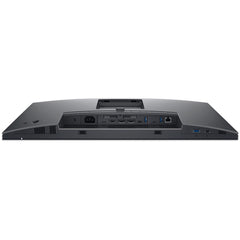
Ports

1x HDMI 1.4 (HDCP 1.4) (Supports up to FHD 1920 x Hz TMDS as per specified in HDMI 1.4)
1x DP 1.4 (HDCP 1.4)
1x DP-out (1.4) with MST (HDCP 1.4)
1x RJ45
1x USB 3.2 Gen1 Type-C upstream (Alt. mode with DP1.4) with up to 90W PD
3x USB 3.2 Gen1 Type-A downstream
1x USB 3.2 Gen1 Type-C downstream with up to 15W PD (data only)

Cables

1x Power cord
1x DP-to-DP cable, 1.8m
1x USB 3.2 Gen2 Type C-to-C cable, 1.0m

All-day produ ivity. At a whole new level.
Produ image

Enhanced eye comfort

4-star certified monitor for eye comfort[1].
Improved ComfortView Plus
Refresh rate
Vivid colors

Improved ComfortView Plus

Reduces harmful blue light emissions to ≤35%, for all-day comfort without sacrificing color.

Refresh rate

100Hz refresh rate delivers less flicker, more seamless scrolling and smoother motion.

Vivid colors

Wide color coverage with up to 16.7m displayable colors of 99% sRGB.

Work in clear details

This ultra-thin bezel monitor supports multi-OS environments.
Produ image

Color consistency

Consistent, vibrant colors across wide viewing angles enabled by In-Plane Switching (IPS) technology.

1500:1 contrast ratio

For deeper blacks and brighter whites.

Conne to produ ivity

Conne your accessories with a wide variety of ports and enhance efficiency via daisy chaining.
Produ image

Single-cable solution

Transmit video, data, and up to 90W power delivery all at once with USB-C.

Extensive conne ivity

Wide variety of ports for all your accessories and RJ45 delivering stable Ethernet.

Quick access USB ports

Including a USB-C downstream that delivers up to 15W of power.

Mounting compatibility

VESA compatible accessories and soundbar.

Designed for comfort

Adjustability to meet your preferences throughout the day.
Tilt
Swivel
Pivot
Height

Tilt

Adjustability from -5o / +21o.

Swivel

Bi-dire ional adjustment up to 45o.

Pivot

Bi-dire ional adjustment up to 90o.

Height

Adjustability up to 150mm.
Improved Dell Display Manager

Improved Dell Display Manager

Improved multitasking
Organize your screen with Easy Arrange and save profiles with Easy Arrange Memory.

Smooth deployment
Manage your fleet of monitors with features that are automatic, comprehensive and compatible with several tools[2].

Convenient customization
Quickly access your favorite features and fun ions with the menu launcher and hot keys.

Compatibility
Dell Display Manager is compatible with Windows operating systems only. For Mac OS, please download the Dell Display and Peripheral Manager software.


Stay updated

Get automatic notifications anytime there's new updates on monitor firmware[3] and software.

Related Products

Recently Viewed Products