









- Choosing a selection results in a full page refresh.
Couldn't load pickup availability
Delivery availability and timing depend on stock and destination. Final delivery options are confirmed with your order.
Need help after purchase? Contact CompuMe for return eligibility, warranty guidance and after-sales support.
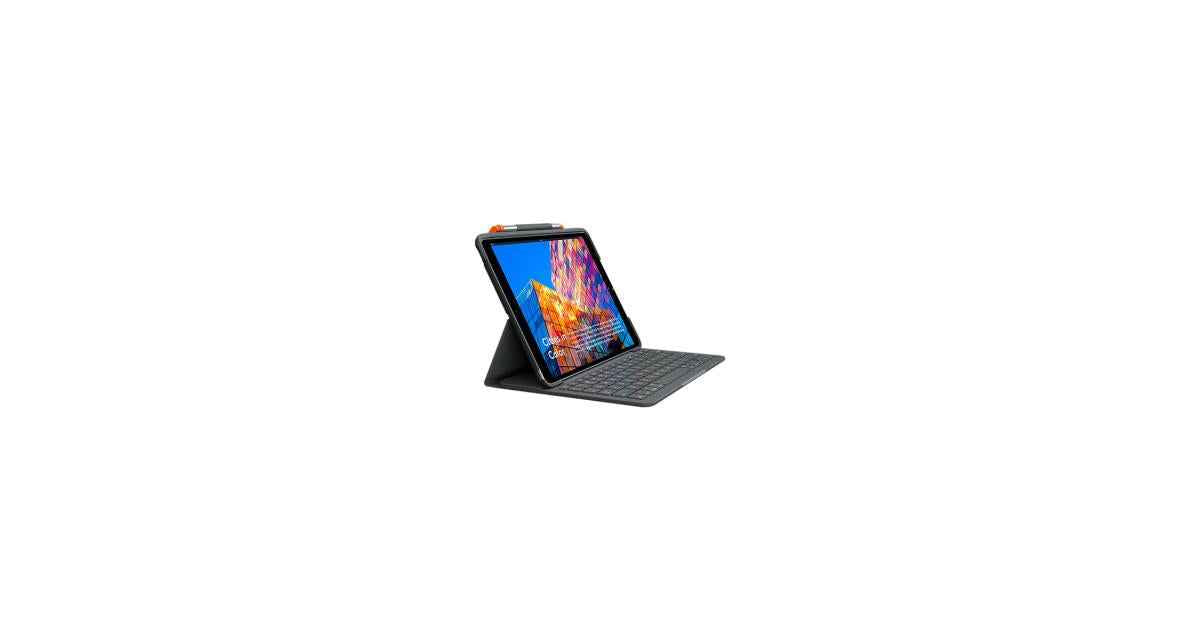
Get more mileage out of iPad at college. Slim Folio lets you comfortably type up papers, sketch diagrams, take remote classes, and more for hours at a time.
Slim Folio doesn’t stop at graduation, it helps you stay productive throughout your career and it’s especially great for when you’re working from home. Effortlessly turn your iPad into a laptop so you can type up notes, take video calls, collaborate through virtual whiteboarding sessions, and more from anywhere in your house.
Slim Folio offers three unique modes to help you accomplish any task.
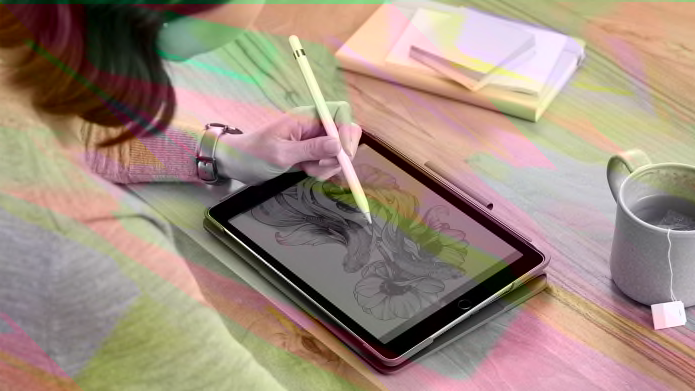
Sketch Mode: Push the screen all the way down to comfortably draw and take notes with Logitech Crayon® or Apple Pencil.
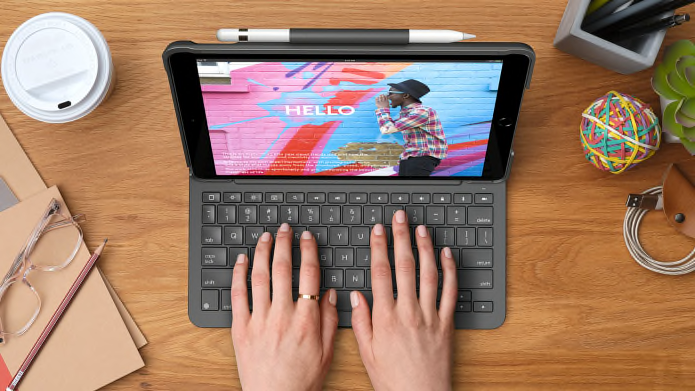
Type Mode: Just dock the keyboard in an upright position and type away.
Read Mode: Fold the keyboard back for a comfortable position to read books, articles, and more.
Enjoy hours of comfortable, flexible typing thanks to well-spaced keys stretched edge-to-edge so your hands won’t feel crowded. Our premium keyboards are designed to deliver the perfect bounce every time you press a key for fast, accurate typing. With a full row of shortcut keys, you can perform your favorite iPadOS-specific actions and optimize your productivity.
Forget hunting around the screen or in menus to perform simple actions—Slim Folio features a full row of iPadOS shortcut keys for one-tap access to popular functions including volume and media controls, brightness levels, and more.
Thanks for subscribing!
This email has been registered!

| Product | SKU | Description | Collection | Availability | Product Type | Other Details |
|---|